- Home Page /
- Books /
- Computers & Technology /
- Digital Audio, Video & Photography /
- Video Production /
- The Guide to Magix DVD Architect 7: A guide ...

Item #:
28936905
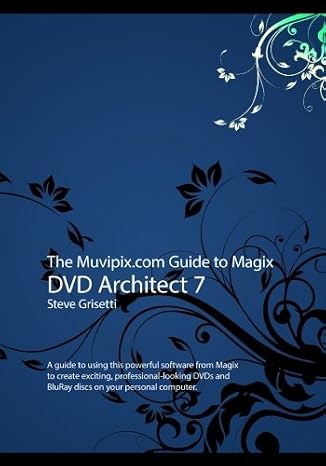
The Guide to Magix DVD Architect 7: A guide to using this powerful software from Magix to create exciting, professional-looking DVDs and BluRay discs
Item #:
28936905
MVR 610
Price Details
Excluding Shipping & Custom charges ( Shipping and custom charges will be calculated on checkout )
*All items will import from US
0 ratings
Write a review
In stock
 Imported from USA store
QTY:
Order now and get it around Sunday, September 06
Secured transaction
Ubuy works hard to protect your security and privacy. Our advanced payment security system ensures confidentiality by encrypting your information during transmission using AES (Advanced Encryption Standards) and SSL (Secure Socket Layer) protocols. Your payment details are 100% secure as we do not share your payment details with third party sellers.
Our Top Logistics Partners


The powerful, yet surprisingly affordable DVD Architect gives you the tools to create exciting and professional-looking DVDs and BluRay discs on your home computer.

Fast
Shipping

Free
Return*

Secure Packaging

100% Original Products

PCI DSS Compliance

ISO 27001 Certified



Note: Step Down Voltage Transformer required for using electronics products of US store (110-120). Recommended power converters Buy Now.


What Stands Out
Comprehensive Guidance
This guide offers step-by-step instructions for mastering Magix DVD Architect 7, enabling users to create stunning DVDs and BluRay discs with ease.
Professional Results
Users will learn techniques to produce high-quality, professional-looking media, ensuring their projects stand out in both personal and professional settings.
User-Friendly Approach
Designed for all skill levels, this guide simplifies complex software functions, making it accessible for beginners while still providing valuable insights for advanced users.
Product Details
| Publisher | CreateSpace Independent Publishing Platform |
| Publication date | June 5, 2017 |
| Language | English |
| Print length | 184 pages |
| ISBN-10 | 1547190760 |
| ISBN-13 | 978-1547190768 |
| Item Weight | 14.9 ounces (422.42 grams) |
| Dimensions | 7 x 0.44 x 10 inches (17.8 x 1.1 x 25.4 cm) |
Who Should Buy?

-
Beginners
New users seeking a clear, detailed guide to understand the software's features and functionalities.
-
Video Editors
Professionals looking to enhance their DVD and BluRay authoring skills will benefit from this comprehensive guide.
-
Hobbyists
Amateur filmmakers wanting to create high-quality home videos can utilize the techniques outlined in this book.

-
Advanced Users
Experienced users may find the guide overly simplistic and lacking in advanced techniques or shortcuts.
Product Description
The Guide to Magix DVD Architect 7: A guide to using this powerful software from Magix to create exciting, professional-looking DVDs and BluRay discs
Have any Query? Chat with us
Customer Questions & Answers
-
Question:
What is The Muvipix.com Guide to Magix DVD Architect 7?
Answer: The Muvipix.com Guide to Magix DVD Architect 7 is a comprehensive manual designed to help users master the features of Magix DVD Architect 7 software. It provides step-by-step instructions, tips, and best practices for creating professional-looking DVDs. This guide is particularly useful for both beginners and experienced users, offering insights into the software's capabilities, like menu creation, adding subtitles, and formatting your projects for optimal playback quality. -
Question:
Who is this guide suitable for?
Answer: This guide is suitable for anyone looking to enhance their DVD authoring skills using Magix DVD Architect 7, from hobbyists to professionals. Whether you're creating family movies, promotional videos, or instructional content, this book helps streamline the process, making it accessible for newcomers while providing advanced techniques for seasoned creators. Users can follow along with real-world scenarios, making the learning experience practical and applicable. -
Question:
What features of Magix DVD Architect 7 does the guide cover?
Answer: The guide covers an extensive range of features, including project setup, menu design, video encoding, audio integration, and scene selection. Each section delves into specific tools and techniques, helping users understand how to utilize the software fully. For instance, it explains how to create interactive menus that enhance viewer engagement and how to optimize your videos for different playback devices. This comprehensive coverage ensures that users can leverage the software's full potential. -
Question:
Can beginners use The Muvipix.com Guide to Magix DVD Architect 7?
Answer: Absolutely! The guide is designed with beginners in mind, offering clear, concise explanations and step-by-step instructions. It breaks down complex processes into manageable tasks, encouraging users to learn at their own pace. Beginners can benefit from practical examples that guide them through the DVD creation process, allowing them to build their skills progressively while avoiding common pitfalls. -
Question:
Does the guide provide tips for improving DVD project quality?
Answer: Yes, the guide offers valuable tips for improving the quality of DVD projects. It includes advice on video settings, audio levels, and design principles to create visually appealing menus. Additionally, it discusses how to choose the right encoding options to ensure clarity and reduce compression artifacts. These insights help users produce high-quality DVDs that look and sound professional. -
Question:
Is there support for troubleshooting in the guide?
Answer: Yes, the guide includes troubleshooting tips for common issues encountered while using Magix DVD Architect 7. It offers solutions for typical problems, such as encoding errors or menu navigation issues, helping users to quickly resolve challenges they may face during the DVD creation process. This resource empowers users by reducing frustration and enabling them to focus on their creative projects without unnecessary interruptions. -
Question:
What types of DVDs can I create using this software?
Answer: Using Magix DVD Architect 7, you can create a variety of DVDs, including home movies, multimedia presentations, educational content, and professional promotional videos. The guide outlines how to customize each type of project, offering templates and design strategies tailored to specific content types. Users can choose to create simple, straightforward DVDs or more complex, interactive projects with multiple chapters and bonus features. -
Question:
Are there any additional resources included with the guide?
Answer: The Muvipix.com Guide to Magix DVD Architect 7 may include access to online forums and supplementary material on the Muvipix website. These resources provide users with a platform for community engagement, feedback, and further learning opportunities. Engaging in such forums allows users to exchange tips, share their projects, and receive advice from experienced creators, enhancing their learning journey. -
Question:
Where can I find reviews of this guide from other users?
Answer: You can explore user reviews and testimonials on various platforms, including online bookstores and review websites. Reading experiences from other users may provide insights into the guide's effectiveness and usability, helping you make an informed decision before purchasing. These reviews often highlight specific strengths of the guide, such as clarity of instructions or practical examples, which can be reassuring for potential buyers. -
Question:
Where can I buy The Muvipix.com Guide to Magix DVD Architect 7?
Answer: You can purchase The Muvipix.com Guide to Magix DVD Architect 7 from Ubuy in Maldives. Ubuy offers a user-friendly shopping experience, allowing you to easily find and order the guide directly online. With Ubuy, you can access a vast selection of products, ensuring that you get the right resources to enhance your DVD project creation skills.
Video Production Editorial Review
The Muvipix.com Guide to Magix DVD Architect 7 provides a detailed and comprehensive guide on how to use this powerful software from Magix. The book covers everything from the basics to advanced techniques, allowing users to create exciting and professional-looking DVDs and BluRay discs. With its clear and easy-to-follow instructions, this guide is a must-have for anyone looking to make their own high-quality DVDs and BluRay discs.
Customer Reviews & Ratings
1 customers ratings
-
5 Star
100%
-
4 Star
0%
-
3 Star
0%
-
2 Star
0%
-
1 Star
0%
Review this product
Share your thoughts with other customers
Pros
- Comprehensive guide on using Magix DVD Architect 7
- Covers everything from basics to advanced techniques
- Clear and easy-to-follow instructions
Cons
- No information provided about delivery and packaging
Platform Trust & Buyer Confidence

MA
Mohammad
Verified buyer
“Excellent quality and original too,when ubuy send original things I will appreciate that ,I very satisfied thank you”
23 July 2026 · via Trustpilot
CK
Chitra
Verified buyer
“The order and delivery progress was communicated very well. Package arrived within the estimated time. Products arrived as expected in good condition.”
22-Jul-26 · via Trustpilot
K
kund
Verified buyer
“Good supply of products. Safe payment methods, and shipment worldwide! Genuine products.”
23-Jul-26 · via Trustpilot
OO
Onesi
Verified buyer
“Was my first time buying a product from Ubuy, but I found it so helpful. This is reliable. Gonna place a new order!”
22 July 2026 · via Trustpilot
SJ
SAO JOHN
Verified buyer
“Ubuy is a great online platform to buy stuff. Reliable, fast delivery time and great value for money. I've been using Ubuy online shopping platform for three years now and will continue to do so.”
23 July 2026 · via Trustpilot
Secure Checkout
Global Delivery
Easy Returns
Genuine Products
Product Price History
Important information
- Limitations : For products shipped internationally, please note that any manufacturer warranty may not be valid; manufacturer service options may not be available; product manuals, instructions, and safety warnings may not be in destination country languages; the products (and accompanying materials) may not be designed in accordance with destination country standards, specifications, and labeling requirements; and the products may not conform to destination country voltage and other electrical standards (requiring use of an adapter or converter if appropriate). The recipient is responsible for assuring that the product can be lawfully imported to the destination country. When ordering from Ubuy or its affiliates, the recipient is the importer of record and must comply with all laws and regulations of the destination country.
- Not all the products listed on Ubuy are for sale, as Ubuy is a global search engine. Products are subject to export/trade regulations.
MVR 610
Order now and get it around Sunday, September 06
This item is not restrict in my country.(Please click on above link if this item is not restrict in your country, So our team will review and allow.)
QTY:
Secured transaction
PCI DSS compliant and ISO 27001:2022 certified, with encrypted payments and full buyer protection on every order.
Our Top Logistics Partners
Fastest cross-border delivery
Features & Benefits
- Create professional-looking DVDs and BluRay discs easily.
- Learn to build discs from your video and media clips.
- Personalize disc menus with custom graphics and backgrounds.
- Animate your menus with music for an enhanced experience.
- Include alternate takes, outtakes, and bonus features seamlessly.
- Add subtitles and multi-language audio tracks for a broader audience.
Ubuy Assurance
Experience worry-free shopping with 100% original products, PCI DSS-compliant payment security, ISO 27001-certified data protection, the fastest cross-border delivery, free returns *, and secure packaging on every order.